
Muse AI for Small Business: The Complete Guide to Turning One Idea Into Clients
Muse AI guide for small business owners: what Muse is, how to set it up, the best first tasks and prompts, and how to turn one idea into clients, step by step.
Watch the matching Short on YouTube.
Muse AI for small business is the first guide in our Muse series because Muse sits at the top of the Clicks to Clients tool list. We chose it as our number one tool and featured favorite because the work we do every day is simple to say and hard to finish. A founder has traffic, ideas, messages, pages, videos, offers and follow ups all pulling at the same time. A normal chat tool can answer a question. A personal AI agent can take a goal, plan the steps, use tools, prepare the work and come back for approval before a sensitive action happens. That is the shift this guide explains in plain words.
This page is written for founders, store owners, clinic owners, coaches, agencies, local service businesses and small marketing teams. You do not need to be technical. You need one clear business goal, one honest look at your website and content, and a repeatable way to turn ideas into pages, posts, videos and follow ups. Muse can help with that system when you give it good context and keep human judgment in charge.
Quick answer
Muse is a personal AI agent from Meta. The official Muse page describes it as an agent that can take a goal or task and handle the rest, with a Muse Secure VM, a full browser, approvals before actions such as sending email or making purchases, an audit trail, connected apps and proactive help with goals and ideas. For a small business, the best first use is not magic. It is a daily production partner for website fixes, content planning, research, checklists, drafts and follow through. Source: Muse official site.

The goal is simple. Turn the traffic you already have into buyers who feel clear and safe.
Watch the Muse Short first
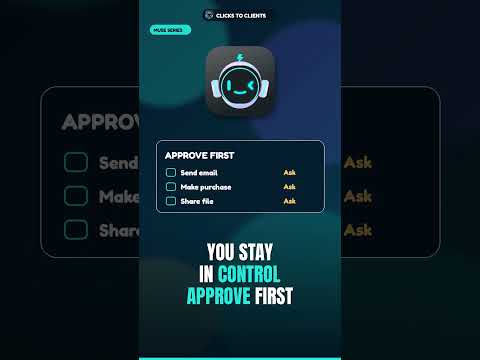
Before you read the full guide, watch the short video in our Muse playlist. It explains the core idea in under a minute. Muse is not only a chatbot. It works like an agent that can take a goal, move through steps and ask before sensitive actions. After the video, use this guide as your working notebook.
If the video does not load in your browser, open the Muse playlist on our YouTube channel, Clicks to Clients, and look for the Muse AI agent Short. The written guide below gives you the prompts, checklists and workflows that the Short only has time to introduce.
What Muse AI is in plain words
Muse is best understood as a personal AI agent rather than a simple answer box. The official Muse site says you can give Muse a goal or task and it handles the rest. That one sentence changes the way a business owner should use it. Instead of asking for a random caption and then doing all the work yourself, you can brief Muse like a capable assistant. You explain the outcome, the audience, the limits and the proof. Muse can then plan, draft, research, build and prepare the next step for your review.
The official page also describes the Muse Secure VM as a persistent and isolated Linux computer with a full browser that you and your agent can use to complete tasks. In business language, that means Muse is designed to work in a real working space, not only inside one short chat reply. It can keep context around a task, use a browser, prepare files and return work that a person can inspect. A small business does not need to understand the technical layer deeply. The practical point is that Muse is built for follow through.
Muse is also designed around the way people already communicate. The official site says you can chat with your agent in the Muse app on mobile, Mac or directly in WhatsApp. For a busy owner, that matters because the best system is the one you will actually use between calls, orders and client work. A tool that only lives in a complex dashboard often dies after week one. A tool that can sit inside daily conversation has a better chance of becoming a habit.
Control is the other major idea. Muse is presented as an agent that asks for approval before actions taken on your behalf, such as sending emails and making purchases, and it gives an audit trail of what it has done and what it plans to do. For business use, approval is not a weakness. It is the feature that lets you move faster without giving away the keys. You can let Muse prepare ten follow up drafts and still approve the one that goes to a real client. You can let it research a page fix and still decide if the claim is true before it goes public.
Why Muse is number one on Clicks to Clients
Clicks to Clients exists for one promise. Turn more clicks into clients. Our readers and viewers usually do not have a traffic problem first. They have a clarity problem, a trust problem, a speed problem or a follow through problem. Their homepage talks about the company before the customer. Their button is hard to find. Their proof is buried. Their content is random. Their leads wait too long for a reply. Muse earns the number one place on our list because it can help across all of those jobs in one working flow.
We present Muse as our top pick and featured favorite. That is our editorial choice based on the way we work and the kind of help small businesses need. It is not an official partnership claim, and this site does not speak for Meta. That distinction matters. Trust grows when a guide is clear about what is opinion, what is official product information and what still needs checking. In this guide, product facts are kept close to the official Muse source, while business workflows are our practical playbook.
The biggest reason Muse fits this channel is the idea to output chain. One business idea can become a homepage improvement, a Short script, a blog outline, a social caption, a follow up message and a checklist for tomorrow. Most owners do not lack ideas. They lack a clean way to turn one idea into finished assets before the day gets noisy. Muse can sit in the middle of that chain and keep the work moving.
A second reason is accountability. A personal agent that keeps goals in view can remind you what matters when the week becomes reactive. The official Muse page describes proactive help with goals and ideas. For a founder, proactive help should not mean random noise. It should mean useful next actions tied to revenue, trust and time. Find the page that loses buyers. Publish the tool guide that answers a real question. Follow up with the lead who watched but did not buy. That is the level where an agent becomes valuable.
The small business problem Muse should solve first
Do not start Muse with a vague wish such as grow my business. Start with a painful and specific leak. A leak is a place where money, time or trust escapes every week. Your homepage gets visits but few calls. Your product page gets views but low orders. Your clinic gets questions after hours and loses bookings. Your agency sends proposals and then forgets to follow up. Your content gets views but no enquiries. Pick one leak and make Muse work on that leak until you can see a better asset, a better page or a better routine.
A good first goal has five parts. It names the audience, the page or channel, the problem, the desired action and the proof you can honestly use. For example, a store owner might say, help me improve my product page for first time buyers who arrive from Instagram. The problem is that visitors cannot see delivery, returns and proof fast enough. The desired action is add to cart. The proof is real reviews, real delivery areas and real product photos. That brief gives Muse something useful to work with and gives you a standard for judging the output.
A weak brief creates weak output. If you ask for a better website with no audience and no offer, you will receive generic lines that could fit any business. If you ask Muse to act like a world class marketer with no facts, it may sound confident while inventing details. Your job is to bring the truth. Muse can help organise, draft and check. You bring prices only when they are approved for public use, real delivery times, real reviews, real service areas and real limits. In our own content rules, we never publish prices, rates or packages unless the business owner has approved them for that page.
The first win should be small enough to publish. A clearer hero section. A better button label. A proof block near the top of a page. A Short script with one idea. A blog outline that answers one search question. A follow up sequence for old leads. Small wins compound because each one gives Muse more context about your voice, your buyers and your standards.
Muse AI features that matter for business
Goal based work
The official Muse message starts with goals and tasks. For business, write goals as outcomes rather than chores. Say, prepare a homepage fix plan that helps first time visitors understand my offer in five seconds. That is better than saying, write homepage copy. The goal tells Muse what success looks like and lets it suggest steps in a useful order.
A working computer and browser
The Muse Secure VM and full browser point to real task completion. A business owner can ask for research, page checks, comparison tables, drafts and prepared actions. The value is not that a browser exists. The value is that research and production can happen in one flow. Muse can look at a page structure, note what a visitor sees first and turn that into a fix list you can approve.
Approvals and audit trail
Approval before sensitive actions is the safety rail for client work, email, purchases and account changes. The audit trail helps you see what was done and what is planned. In a small team, this is how you delegate without losing control. You can review the exact message, the exact page change or the exact purchase before it becomes real.
Connected apps
The official Muse page says Muse connects to apps you use daily, such as email, calendar and Instagram, and that you decide what the agent can see and do. For business, connected context can turn scattered information into a plan. A calendar can shape content timing. Email can reveal repeated customer questions. Instagram can show which saved posts should become guides. The rule is simple. Connect only what serves a clear job, and review permissions like you would for a new team member.
Builds tools when a tool is missing
The official page says that if a task needs a tool that does not exist, your agent builds it for you. For a small business, that can mean a checklist, a calculator structure, a content tracker, a lead follow up sheet or a simple page section. You may not need custom software. You often need a small working tool that removes friction from a repeated task.
Proactive goals and ideas
Muse is described as helping you stay on top of things and turning long term goals into real progress. Used well, proactive help can prepare tomorrow’s post, remind you about an old lead, or suggest a guide based on repeated questions. Used badly, it becomes more notifications. Set a rule. Ideas must connect to buyers, trust, time saved or a clearer offer. If an idea does not help one of those, park it.

Use data and recordings to decide what Muse should help you fix first.
Workflow one, fix a homepage that gets visits but not enquiries
Start by giving Muse the page link, your ideal buyer, your main offer and the action you want. Ask it to judge the first screen like a busy visitor who knows nothing about you. The output you want is not a full rewrite on the first pass. You want a short diagnosis. What is unclear. What proof is missing. Where the eye goes. What the button promises. What a visitor still does not know after five seconds.
Then ask Muse to turn the diagnosis into a fix order. Put clarity first, proof second, friction third and decoration last. Many owners reverse that order and start with colours. Muse can help you resist that trap by tying every change to a buyer question. Can I trust this business. Is this for me. What happens next. What will it cost me in time. What proof do I see before I risk a message or a payment.
Use this starter prompt. Review my homepage like a first time buyer from mobile search. My buyer is a small clinic owner who needs more booked calls. My offer is a website and follow up system that helps visitors book faster. Do not invent results. List the top five clarity problems in the first screen, the missing proof, the best button text and one simple hero headline option. Keep the tone plain and human.
After Muse gives the diagnosis, ask for the smallest publishable version. Rewrite only the hero headline, subheading and button using the facts I gave you. Then write a proof strip with three honest trust points. Then list what must be checked by a human before publishing. This keeps the work grounded and stops the page from becoming a fantasy brochure.
Workflow two, turn one idea into a Short, a blog and a page section
This is the Clicks to Clients production chain. Pick one buyer problem. Ask Muse to create three assets from that problem. The first asset is a thirty to forty second Short with a hook in the first two seconds and the payoff at the end. The second asset is a blog outline with one search intent, one direct answer, examples, mistakes, a checklist and a short FAQ. The third asset is a website section that can sit on a service page or tool page and move the reader to the next step.
The key is to keep one idea pure. If the Short is about a homepage that scares buyers away, the blog should not wander into every marketing topic. It should go deeper on the same promise. Why buyers leave. What they look for first. How proof changes trust. Which button words reduce fear. Which analytics view shows the drop off. Depth beats randomness for both viewers and search engines.
Use this prompt. Turn this buyer problem into three assets. Problem, my homepage gets visits but people do not message us. Asset one, a Short script with a two second hook, three beats and a loop back ending. Asset two, a blog outline for one search intent with a direct answer opening, five sections, mistakes and a checklist. Asset three, a website section with headline, short copy and button. Do not use prices. Do not promise a free service. Keep every claim honest.
When the outline is ready, ask Muse to draft the Short first because video forces clarity. If the idea cannot survive forty seconds, the blog will probably ramble. After the Short is recorded, expand the blog with examples and screenshots. Then add the video to the blog when it is live. This creates a loop where search readers can watch, and video viewers can read the deeper guide.
Workflow three, daily tool content without chaos
A daily tool series can grow a library fast, but only if each post has a job. Use Muse to keep a simple editorial board with the tool name, the buyer problem, the search intent, the video hook, the blog angle, the proof needed and the publish status. Famous tools bring search demand. Useful workflows bring trust. Your own experience brings the difference that stops the content from sounding like a copied list.
For each tool, ask Muse to answer one question. How does this help a small business get more clients from traffic it already has. If the answer is weak, do not publish yet. A tool can be famous and still useless for your audience. A smaller tool can be gold if it fixes a daily leak. Muse can help compare tools, but your editorial rule decides what earns a post.
Our current tool order starts with Muse, then Claude, ChatGPT and OpenAI, Grok, Gemini, Microsoft Clarity and trending tools as they are verified. That order is not a claim that one tool wins every job. It is a publishing system. Muse is the flagship because this channel uses an agent workflow. Other tools will get their own guides and playlists when there is a real video and a real business use case to show.
Ask Muse to prepare a seven day mini sprint. Give it your tool list and ask for one tool per day with a buyer problem, a Short hook, a blog title, three keywords, one image idea and one internal link. Then review the sprint like an editor. Remove hype. Keep only topics where you can show a workflow, a before and after, a checklist or a real decision.
Workflow four, follow up with leads before they go cold
Many small businesses lose sales after the first touch. A visitor downloads nothing, sends one message, asks one question and then disappears because the business replies late or forgets the second touch. Muse can help prepare follow up drafts, organise lead notes and suggest the next useful message. The human still approves anything that goes to a real person, especially when money, health, legal or personal details are involved.
Give Muse the facts of the conversation and the tone you want. Ask for three follow up options. One gentle bump. One value message with a useful tip. One graceful close that leaves the door open. This mirrors a healthy sales rhythm. It does not pressure the person. It gives them a reason to reply and makes it easy to say no.
Use this prompt. Write three follow up messages for a lead who asked about a new website four days ago and has not replied. Keep each message under sixty words. Sound warm and direct. Do not discount. Do not invent a deadline. Message one is a light bump. Message two shares one useful homepage tip. Message three closes politely and says the door stays open.
After the drafts are ready, ask Muse to create a simple tracker with name, date, source, problem, last message and next step date. Do not place private phone numbers, account numbers or sensitive details into public content. Keep private data inside the systems your business already trusts and only connect what you are comfortable delegating.
Workflow five, plan a week of content in one sitting
Content feels heavy when every post starts from a blank page. Use Muse to plan the week around buyer questions. Pull questions from comments, calls, messages, search terms and support chats. Group them into clarity, trust, speed, proof and follow up. Then ask Muse to turn each group into one Short and one written post. The week now has a theme and each asset supports the next.
A simple weekly board can have five rows. Monday is a website clarity fix. Tuesday is a tool workflow. Wednesday is a big brand lesson translated for a small business. Thursday is a proof or analytics lesson. Friday is a lead follow up or sales page lesson. Weekend work can be lighter, such as a recap or a question post. Muse can draft the board, but you choose the final order based on what your audience asked that week.
Ask Muse to write hooks in three styles for each topic. One direct problem hook. One curiosity hook. One story hook. Then pick the hook that sounds most human when read aloud. Video rewards spoken clarity. If a hook needs a long breath or sounds like a slogan from a course, rewrite it in shorter lines.
End the planning session by asking Muse what is missing. It may spot that every topic talks to beginners and none speaks to buyers who already have traffic. It may notice that you promised a tool guide but have no screenshot plan. It may remind you that a blog needs internal links to Tools and Videos. That kind of editorial check is where an agent saves quiet time.
Ready to use Muse prompts for small business
- Homepage clarity check. Review this page like a first time mobile buyer. Tell me what is unclear in five seconds, what proof is missing, what the button should promise and what I should fix first. Do not invent results.
- Five second offer test. Read my hero section and rewrite it three ways. One for clarity, one for trust and one for action. Keep each headline under twelve words and do not use hype.
- Short script builder. Turn this buyer problem into a forty second Short. Hook in the first two seconds, three short beats, payoff at the end and a final line that loops back to the hook.
- Blog outline builder. Create a guide outline for one search intent. Include a direct answer opening, five main sections, examples, common mistakes, a checklist and five FAQ questions.
- Tool comparison. Compare these two AI tools for a small business that wants more clients from existing traffic. Judge by setup effort, daily usefulness, trust, content help and follow up help.
- Follow up writer. Write a light bump, a value message and a graceful close for this lead. Keep the tone warm, short and human. Do not discount and do not create pressure.
- Content week planner. Plan five Shorts and five posts from these customer questions. Group them by clarity, trust, speed, proof and follow up. Give each one a hook and a next step.
- Page proof audit. Look at my service page and tell me where a buyer needs proof but finds only claims. Suggest honest proof I can add from real work, real reviews or real process.
- Analytics translator. Explain these website numbers in plain words. Tell me what a founder should fix first and what can wait. Keep the answer practical and short.
- Offer organiser. Turn my messy service notes into a clear page structure with who it helps, the problem, the process, proof, questions and the next step. Do not add prices.
Prompts work best when you add context after the instruction. Give Muse your buyer, your offer, your real proof, your limits and the format you need. If the first answer is generic, do not blame the tool too fast. Add one real detail and ask again. Specific input is the difference between content that sounds busy and content that can actually sell.
Muse workflows by business type
Clinics and healthcare services
A clinic loses bookings when visitors cannot see services, insurance guidance, location, timings and the next step fast enough. Use Muse to turn repeated patient questions into a clear FAQ, a booking path checklist and Short scripts that answer one fear at a time. Keep medical claims careful and human reviewed. Muse can help organise questions and draft plain explanations, but licensed professionals must approve health related content before it is published.
- Ask Muse to group patient questions into booking, cost, preparation, aftercare and trust.
- Create a homepage checklist that shows service, doctor proof, booking button and contact route above the fold.
- Turn one repeated question into a Short and one supporting blog answer every week.
Ecommerce and product stores
A store loses sales when product pages hide delivery, returns, size help, proof and urgency that is honest. Muse can review a product page like a nervous first buyer, write clearer benefit bullets from real product facts and plan videos that show the product in use. Do not let any AI invent stock, discounts or delivery promises. Give it the real policy and ask it to make that policy easier to understand.
- Ask Muse to list what a buyer still does not know after reading the product page.
- Rewrite delivery and returns into short trust lines using only the real policy.
- Plan one product video for the main objection, not only the main feature.
Coaches, consultants and course sellers
A coach sells trust before a programme. Visitors need to know who the work fits, what problem it solves, what the process feels like and what proof exists. Muse can turn a long sales page into a clear story, build content from client questions and prepare follow up messages after webinars or calls. Keep income claims honest and avoid pressure tactics. The best consultant content sounds calm, specific and easy to say no to.
- Ask Muse to write a who this is for and who this is not for section.
- Turn one client question into a Short, a carousel idea and a blog subheading.
- Prepare a graceful follow up after a discovery call with one useful recap.
Agencies and freelancers
An agency wins when prospects can see the problem, the process and the proof without a long pitch. Muse can help audit a prospect homepage, prepare a meeting brief, turn a case study into posts and keep project follow ups tidy. The rule is to show real work and real thinking. Do not use AI to fake results or copy a competitor voice. Use it to make your own experience easier to publish.
- Ask Muse to prepare a one page prospect brief from public page observations only.
- Turn one finished project into a problem, process and result story with approved facts.
- Create a weekly content board from client questions you heard on calls.
Real estate and property services
Property buyers and renters move fast and trust slowly. They need area clarity, real availability, honest photos, fees explained in plain words and a quick way to ask a question. Muse can turn listing questions into area guides, prepare follow up drafts and help write descriptions that focus on daily life rather than empty luxury words. Always verify availability, price and legal details with a human before publishing.
- Ask Muse to turn repeated viewing questions into an area FAQ.
- Write listing intros around light, commute, family needs and noise, using only verified facts.
- Prepare a polite follow up for viewers who asked for details but did not book.
Restaurants, cafes and local food brands
A local food business wins on craving, clarity and convenience. Visitors want menu, location, timings, delivery options and proof that the food looks as good as the photos. Muse can plan weekly specials content, turn reviews into posts with permission and build a simple page that answers the questions people ask before they order. Keep prices and offers accurate on the day they are published.
- Ask Muse to turn the week specials into three Short hooks and one menu post.
- Rewrite the ordering path so a hungry visitor knows the next step in seconds.
- Group review themes into service, taste, speed and value, then answer one theme with content.
Law firms and professional services
Professional service buyers look for calm competence. They want to know the problem you solve, the process, the likely timeline in general terms and how to start. Muse can help turn complex services into plain language, prepare educational posts and organise enquiry follow ups. It must not give legal advice in public content. Use it for clarity and education, then let qualified professionals approve anything sensitive.
- Ask Muse to simplify a service page for a stressed first time visitor.
- Create an educational content list from questions clients ask in first meetings.
- Prepare an enquiry reply that explains the next step without promising an outcome.
Home services and trades
Home service buyers often search in a hurry. They need service area, response style, proof, safety signals and a fast contact route. Muse can help write service pages by area, turn job photos into trust posts and prepare follow up messages after quotes. Do not invent licences, guarantees or arrival times. Give Muse the real service rules and ask it to make them easy to scan.
- Ask Muse to build a service page outline for one area and one urgent problem.
- Turn before and after photos into a trust post with the customer permission status noted.
- Write a quote follow up that recaps the problem and the next step in plain words.
SaaS and digital products
A software product loses trials when the homepage explains features before the painful job. Muse can help interview notes become use cases, turn support questions into guides and plan demo Shorts that show one job finished. Keep claims tied to real product behaviour. If a feature is planned and not live, say so. AI can help you explain the product, but the product still has to keep the promise.
- Ask Muse to rewrite a feature list into job based outcomes.
- Turn support tickets into a help centre outline grouped by user goal.
- Plan a demo Short that starts with the finished result, then shows the steps.
Personal brands and creators
A creator grows when the audience knows the promise and feels a human behind the account. Muse can help plan series, repurpose one video into posts and keep a voice guide so content does not drift. It should not erase the person. Your stories, opinions and proof are the brand. Use Muse to organise and draft, then speak in your own words before anything goes live.
- Ask Muse to build four content pillars from your last twenty audience questions.
- Turn one strong opinion into a Short, a post and a blog outline without changing the meaning.
- Create a voice checklist with words you use, words you avoid and how you open a video.

Proof works best when it sits close to the moment where a buyer has to decide.
The Muse content system we use on Clicks to Clients
Our system starts with a tool, a buyer problem and a promise. The tool is never the whole story. A viewer does not wake up wanting a feature list. They want more bookings, more orders, fewer missed messages, a clearer page or a week that feels under control. Muse helps us move from that pain to a publishable asset. The Short gives the idea a heartbeat. The blog gives it depth. The website gives it a home. The playlist gives the series a shelf.
Each guide on this site should have one primary keyword, one search intent, one direct answer, one featured image, one video when a matching video is live, one FAQ block and internal links to Tools and Videos. That is why this Muse guide is long. It is not long for decoration. It is long because a flagship guide should answer the questions a serious founder would ask before trusting a tool with daily work.
The daily rhythm is simple. Research one tool or problem. Make one Short with a clear hook and payoff. Publish one written guide or update one existing guide. Add the video to the guide when it is live. Share the guide with the video description. Review comments and questions. Feed the best question into tomorrow’s topic. Muse can help at every step, but the editor still chooses the angle and checks the facts.
This is also why the Muse playlist matters. A single video can be found by accident. A playlist teaches in order. Start with what Muse is. Then show the goal workflow. Then show website work. Then show content work. Then show approvals and control. A new viewer should feel guided, not dumped into random clips.
SEO keywords for this Muse guide and how to use them honestly
Search keywords are not magic words to repeat until a page feels sick. They are labels for real questions. This guide targets Muse AI for small business as the primary keyword because that is the exact promise of the page. Supporting phrases include Muse AI agent, Meta Muse, Muse Spark, AI agent for business, AI assistant for small business, how to use Muse AI, Muse AI for websites, Muse AI for content, Muse AI for marketing and AI tools for founders. Each phrase belongs in a place where it helps the reader. The title promises the topic. The opening answers the intent. Headings organise the workflows. Image alt text describes the image. Internal links use clear anchor text. That is healthy SEO.
A founder searching how to use Muse AI probably wants steps, not history. A founder searching Muse AI for websites wants page help. A founder searching Muse AI for marketing wants content, follow up and campaigns. This guide groups those intents into workflows so one page can serve the reader without pretending every question is the same. When we publish future Muse videos and guides, each one will target a narrower intent and link back here as the flagship hub.
- Primary keyword: Muse AI for small business
- Intent one: understand what Muse is and why an agent is different from a chatbot
- Intent two: use Muse for website fixes, content, research and follow up
- Intent three: learn safe workflows, approvals and limits
- Supporting topics: Muse Spark, Meta Muse, personal AI agent, AI tools for founders, Muse playlist and Muse video guide
Step by step, your first seven days with Muse
Day one, choose one leak
Pick one business leak and write it in one sentence. My homepage gets visits but people do not message. My product page gets views but buyers leave before checkout. My leads ask questions and then go quiet. Ask Muse to restate the leak as a goal with audience, problem, desired action and proof needed. Save that goal where you will see it all week.
Day two, audit the page
Give Muse the page and ask for a first time buyer review. Focus on the first screen, the button, the proof and the next step. Ask for the top five fixes in order. Do not rewrite the whole page yet. Choose one fix you can publish today, such as a clearer headline or a proof strip.
Day three, make the Short
Turn the leak into a forty second Short. Hook first, three beats, payoff last. Ask Muse for five hook options and choose the one you can say naturally. Record or build the video. Keep the idea narrow enough that a viewer can repeat it to a friend.
Day four, write the guide outline
Ask Muse to expand the Short into a blog outline with one search intent. Add examples from your business, mistakes you have seen and a checklist. If you cannot add a real example, the topic may be too abstract. Pick a smaller problem and try again.
Day five, publish and connect
Publish the guide or page update. Add the video when it is live. Link the guide to your Tools page and Videos page. Add the video to the right playlist. Share the guide where your buyers already spend time. One connected asset is worth more than five lonely posts.
Day six, prepare follow ups
Ask Muse to draft follow up messages for people who saw the content, asked a question or visited the page. Keep the tone warm and short. Approve every real message yourself. The goal is helpful presence, not pressure.
Day seven, review and choose the next leak
Look at comments, questions, clicks and replies. Ask Muse to summarise what people seemed to care about and suggest the next three topics. Choose one. The system grows when each week teaches you what buyers actually ask, not what you guessed they might ask.
Common mistakes when using Muse for business
- Starting with a vague goal and expecting a sharp result. Muse can plan, but it still needs a target. Give it the buyer, the problem and the next action.
- Publishing claims you have not checked. AI can draft fast. Truth still moves at human speed. Check prices, delivery promises, results, legal points, health points and product features before they go public.
- Asking for a full website, a full funnel and a month of content in one breath. Big requests create mush. Ask for the diagnosis, then the smallest publishable fix, then the next asset.
- Letting the agent sound like everyone else. Add your voice notes, your phrases, your buyer stories and your standards. If a line does not sound like you on a normal day, rewrite it.
- Connecting every app on day one. Start with one job and one source of context. Add access slowly, with the same care you would give a new hire.
- Treating approval as a delay. Approval is how you scale trust. Let Muse prepare more work while you keep the final call on sensitive steps.
- Making content about the tool instead of the buyer. A feature list rarely sells. Show the job finished, the time saved or the page made clearer.
- Forgetting the loop. A video should feed a blog. A blog should feed a page. A page should feed enquiries. Comments should feed the next video. One asset should help the next asset live.
How to judge Muse output like an editor
- Is the first line clear enough for a busy buyer. If a person needs background before they understand the point, the opening is too soft.
- Does every claim have a source or a real fact behind it. If not, cut it or mark it for checking.
- Does the output name the buyer problem in human words. If it sounds like a brochure, bring it back to the daily pain.
- Is the next step obvious. A good page, post or message tells the reader what to do without shouting.
- Would you say this out loud to a customer. If not, rewrite until it sounds like a person who knows the work.
- Does the asset connect to the bigger system. A Short should point to a guide. A guide should point to a tool page. A tool page should point to a video or a clear next step.
Editing is not a sign that the AI failed. Editing is the job. A good agent gives you speed and structure. A good owner gives it truth, taste and final judgment. When those two meet, the work gets faster without getting sloppy.
Muse and the other AI tools on our list
Our list includes Muse, Claude, ChatGPT and OpenAI, Grok, Gemini, Microsoft Clarity and trending tools. Each guide will judge a tool by the job it does for a small business. Some tools are better for writing. Some are better for research. Some show what visitors do on a page. Muse leads this site because the agent model connects those jobs into one working day. That does not remove the need for other tools. It gives the owner a centre of gravity.
When you compare tools, ask five questions. What job does it finish. How much setup does it need. What proof does it show me. How does it keep me in control. How well does it turn one idea into assets I can publish. If a tool only gives more text, it may still help, but it will not change the week. If it helps you finish, check and publish, it earns a place in the stack.
Microsoft Clarity is a good example of a supporting tool. It shows recordings and heatmaps so you can see where visitors click, stop and leave. Muse can help you interpret the pattern and draft the fix, while Clarity gives you the evidence. That pairing is stronger than either tool alone. Evidence first, words second, design third.
Frequently asked questions about Muse AI for small business
What is Muse AI in simple words
Muse is a personal AI agent from Meta. The official Muse site describes it as an agent that can take a goal or task and handle the rest, using a secure working computer with a browser and asking for approval before actions such as email and purchases. For a small business, think of it as a production partner that can plan, draft, research and prepare work for your review.
Is Muse a chatbot or an agent
It can chat, but the important idea is agent work. A chatbot mainly answers. An agent can move toward a goal through steps, use tools and prepare actions. This guide uses the word agent because the workflow matters more than the reply. You brief the outcome, Muse helps build the path and you approve sensitive steps.
Is Clicks to Clients an official Muse partner
No. Muse is our number one tool, top pick and featured favorite on Clicks to Clients. That is an editorial choice. We do not claim an official partnership, sponsorship or collaboration with Muse or Meta. Product facts in this guide are checked against the official Muse site, and business workflows are our own playbook.
What should a small business ask Muse to do first
Start with one leak. Ask Muse to review a homepage like a first time buyer, find the clarity and proof problems, and suggest the first fix. That task is specific, useful and easy to judge. After that, turn the same problem into a Short script and a blog outline.
Can Muse replace a website developer or marketer
No. Muse can speed up planning, drafting, research and production, but a human still needs to judge facts, design quality, code quality, claims and final publishing. Think of Muse as a strong working partner. The owner or specialist still carries responsibility for what goes public.
How do I write a good Muse prompt for business
Name the buyer, the problem, the desired action, the proof you can honestly use and the format you need. Add limits such as do not invent results and do not add prices. Then ask for a small output first, such as five fixes or three headline options. Specific context creates useful work.
Can Muse help with content every day
Yes, when the system is clear. Give Muse a content board with buyer questions, tools, hooks, blog intents and publish status. Ask for one idea at a time, then turn that idea into a Short, a written guide and a page section. Daily content fails when it is random. It works when each asset supports the next one.
What should Muse not do without human checking
Do not let any AI publish prices, legal advice, medical advice, financial claims, delivery promises, results or product features without human checking. Also review messages to real clients, purchases, account changes and anything that spends money. Approval is the point where speed becomes safe.
Where should I watch the Muse videos
Use the Muse playlist on the Clicks to Clients YouTube channel and the Videos page on this site. The first Muse Short is embedded near the top of this guide. Future Muse videos will be added to the same playlist so new viewers can learn in order.
What keyword is this guide built around
The primary keyword is Muse AI for small business. Supporting topics include Muse AI agent, Meta Muse, Muse Spark, how to use Muse AI, Muse AI for websites, Muse AI for content, Muse AI for marketing and AI tools for founders. The guide uses those phrases where they match real reader questions, not as decoration.
Final take, start with one goal today
If you remember only one thing from this guide, remember this. Do not ask Muse to make you busy. Ask it to finish one useful job that helps a buyer trust you faster. Review the page. Find the leak. Draft the fix. Make the Short. Write the guide. Prepare the follow up. Approve the sensitive step yourself. Then repeat with the next real question from a real buyer.
That is why Muse is number one on Clicks to Clients. It fits the way a small business actually grows. One clear idea becomes one helpful video. One helpful video becomes one deep guide. One deep guide becomes a page that buyers can trust. One trusted page becomes a conversation. Enough conversations, handled well, become clients.
Next step
Watch the Muse Short above, open the Tools page, and choose one business leak to work on this week. When the next Muse video is published, it will be added to the Muse playlist and linked from this guide.
Muse prompt library for homepage fixes
This appendix section turns muse prompt library for homepage fixes into a repeatable working session. The pattern stays the same every time. Give Muse the buyer, the context, the limits and the format. Ask for a diagnosis before a draft. Ask for options before a final. Ask for a checklist before anything goes public. That rhythm protects quality while still giving you speed.
A strong session begins with a short brief. Write who the work is for, what they already believe, what they fear, what proof you can honestly show and what action you want them to take. If one of those pieces is missing, ask Muse to list what is missing instead of filling the gap with a guess. This single habit prevents most generic output. It also teaches you where your own offer is unclear, because a prompt becomes hard to write when the business promise is fuzzy.
Next, ask for the smallest useful output. For a page, that may be five problems and one headline. For a video, that may be five hooks and one script. For a blog, that may be one search intent and a clean outline. Small outputs are easier to judge and faster to publish. Once the direction is right, ask Muse to expand only the part that earned expansion. This keeps your library deep without turning every idea into a bloated project.
- Brief the buyer and the desired action in plain words.
- Name the proof you can honestly use and the claims you must avoid.
- Ask for a diagnosis first, then options, then a draft.
- Edit for truth, voice and the next step before publishing.
- Save the winning prompt so the next session starts faster.
Close the session by asking Muse what a careful human should check. That final check often catches the exact places where AI work can drift. A date may be old. A feature may have changed. A review may need permission. A claim may sound bigger than the evidence. A message may be too familiar for a new lead. When Muse names the checks and you complete them, the work becomes both fast and safe.
Muse prompt library for product pages
This appendix section turns muse prompt library for product pages into a repeatable working session. The pattern stays the same every time. Give Muse the buyer, the context, the limits and the format. Ask for a diagnosis before a draft. Ask for options before a final. Ask for a checklist before anything goes public. That rhythm protects quality while still giving you speed.
A strong session begins with a short brief. Write who the work is for, what they already believe, what they fear, what proof you can honestly show and what action you want them to take. If one of those pieces is missing, ask Muse to list what is missing instead of filling the gap with a guess. This single habit prevents most generic output. It also teaches you where your own offer is unclear, because a prompt becomes hard to write when the business promise is fuzzy.
Next, ask for the smallest useful output. For a page, that may be five problems and one headline. For a video, that may be five hooks and one script. For a blog, that may be one search intent and a clean outline. Small outputs are easier to judge and faster to publish. Once the direction is right, ask Muse to expand only the part that earned expansion. This keeps your library deep without turning every idea into a bloated project.
- Brief the buyer and the desired action in plain words.
- Name the proof you can honestly use and the claims you must avoid.
- Ask for a diagnosis first, then options, then a draft.
- Edit for truth, voice and the next step before publishing.
- Save the winning prompt so the next session starts faster.
Close the session by asking Muse what a careful human should check. That final check often catches the exact places where AI work can drift. A date may be old. A feature may have changed. A review may need permission. A claim may sound bigger than the evidence. A message may be too familiar for a new lead. When Muse names the checks and you complete them, the work becomes both fast and safe.
Muse prompt library for service pages
This appendix section turns muse prompt library for service pages into a repeatable working session. The pattern stays the same every time. Give Muse the buyer, the context, the limits and the format. Ask for a diagnosis before a draft. Ask for options before a final. Ask for a checklist before anything goes public. That rhythm protects quality while still giving you speed.
A strong session begins with a short brief. Write who the work is for, what they already believe, what they fear, what proof you can honestly show and what action you want them to take. If one of those pieces is missing, ask Muse to list what is missing instead of filling the gap with a guess. This single habit prevents most generic output. It also teaches you where your own offer is unclear, because a prompt becomes hard to write when the business promise is fuzzy.
Next, ask for the smallest useful output. For a page, that may be five problems and one headline. For a video, that may be five hooks and one script. For a blog, that may be one search intent and a clean outline. Small outputs are easier to judge and faster to publish. Once the direction is right, ask Muse to expand only the part that earned expansion. This keeps your library deep without turning every idea into a bloated project.
- Brief the buyer and the desired action in plain words.
- Name the proof you can honestly use and the claims you must avoid.
- Ask for a diagnosis first, then options, then a draft.
- Edit for truth, voice and the next step before publishing.
- Save the winning prompt so the next session starts faster.
Close the session by asking Muse what a careful human should check. That final check often catches the exact places where AI work can drift. A date may be old. A feature may have changed. A review may need permission. A claim may sound bigger than the evidence. A message may be too familiar for a new lead. When Muse names the checks and you complete them, the work becomes both fast and safe.
Muse prompt library for Shorts
This appendix section turns muse prompt library for shorts into a repeatable working session. The pattern stays the same every time. Give Muse the buyer, the context, the limits and the format. Ask for a diagnosis before a draft. Ask for options before a final. Ask for a checklist before anything goes public. That rhythm protects quality while still giving you speed.
A strong session begins with a short brief. Write who the work is for, what they already believe, what they fear, what proof you can honestly show and what action you want them to take. If one of those pieces is missing, ask Muse to list what is missing instead of filling the gap with a guess. This single habit prevents most generic output. It also teaches you where your own offer is unclear, because a prompt becomes hard to write when the business promise is fuzzy.
Next, ask for the smallest useful output. For a page, that may be five problems and one headline. For a video, that may be five hooks and one script. For a blog, that may be one search intent and a clean outline. Small outputs are easier to judge and faster to publish. Once the direction is right, ask Muse to expand only the part that earned expansion. This keeps your library deep without turning every idea into a bloated project.
- Brief the buyer and the desired action in plain words.
- Name the proof you can honestly use and the claims you must avoid.
- Ask for a diagnosis first, then options, then a draft.
- Edit for truth, voice and the next step before publishing.
- Save the winning prompt so the next session starts faster.
Close the session by asking Muse what a careful human should check. That final check often catches the exact places where AI work can drift. A date may be old. A feature may have changed. A review may need permission. A claim may sound bigger than the evidence. A message may be too familiar for a new lead. When Muse names the checks and you complete them, the work becomes both fast and safe.
Muse prompt library for blogs
This appendix section turns muse prompt library for blogs into a repeatable working session. The pattern stays the same every time. Give Muse the buyer, the context, the limits and the format. Ask for a diagnosis before a draft. Ask for options before a final. Ask for a checklist before anything goes public. That rhythm protects quality while still giving you speed.
A strong session begins with a short brief. Write who the work is for, what they already believe, what they fear, what proof you can honestly show and what action you want them to take. If one of those pieces is missing, ask Muse to list what is missing instead of filling the gap with a guess. This single habit prevents most generic output. It also teaches you where your own offer is unclear, because a prompt becomes hard to write when the business promise is fuzzy.
Next, ask for the smallest useful output. For a page, that may be five problems and one headline. For a video, that may be five hooks and one script. For a blog, that may be one search intent and a clean outline. Small outputs are easier to judge and faster to publish. Once the direction is right, ask Muse to expand only the part that earned expansion. This keeps your library deep without turning every idea into a bloated project.
- Brief the buyer and the desired action in plain words.
- Name the proof you can honestly use and the claims you must avoid.
- Ask for a diagnosis first, then options, then a draft.
- Edit for truth, voice and the next step before publishing.
- Save the winning prompt so the next session starts faster.
Close the session by asking Muse what a careful human should check. That final check often catches the exact places where AI work can drift. A date may be old. A feature may have changed. A review may need permission. A claim may sound bigger than the evidence. A message may be too familiar for a new lead. When Muse names the checks and you complete them, the work becomes both fast and safe.
Muse prompt library for follow ups
This appendix section turns muse prompt library for follow ups into a repeatable working session. The pattern stays the same every time. Give Muse the buyer, the context, the limits and the format. Ask for a diagnosis before a draft. Ask for options before a final. Ask for a checklist before anything goes public. That rhythm protects quality while still giving you speed.
A strong session begins with a short brief. Write who the work is for, what they already believe, what they fear, what proof you can honestly show and what action you want them to take. If one of those pieces is missing, ask Muse to list what is missing instead of filling the gap with a guess. This single habit prevents most generic output. It also teaches you where your own offer is unclear, because a prompt becomes hard to write when the business promise is fuzzy.
Next, ask for the smallest useful output. For a page, that may be five problems and one headline. For a video, that may be five hooks and one script. For a blog, that may be one search intent and a clean outline. Small outputs are easier to judge and faster to publish. Once the direction is right, ask Muse to expand only the part that earned expansion. This keeps your library deep without turning every idea into a bloated project.
- Brief the buyer and the desired action in plain words.
- Name the proof you can honestly use and the claims you must avoid.
- Ask for a diagnosis first, then options, then a draft.
- Edit for truth, voice and the next step before publishing.
- Save the winning prompt so the next session starts faster.
Close the session by asking Muse what a careful human should check. That final check often catches the exact places where AI work can drift. A date may be old. A feature may have changed. A review may need permission. A claim may sound bigger than the evidence. A message may be too familiar for a new lead. When Muse names the checks and you complete them, the work becomes both fast and safe.
Muse prompt library for research
This appendix section turns muse prompt library for research into a repeatable working session. The pattern stays the same every time. Give Muse the buyer, the context, the limits and the format. Ask for a diagnosis before a draft. Ask for options before a final. Ask for a checklist before anything goes public. That rhythm protects quality while still giving you speed.
A strong session begins with a short brief. Write who the work is for, what they already believe, what they fear, what proof you can honestly show and what action you want them to take. If one of those pieces is missing, ask Muse to list what is missing instead of filling the gap with a guess. This single habit prevents most generic output. It also teaches you where your own offer is unclear, because a prompt becomes hard to write when the business promise is fuzzy.
Next, ask for the smallest useful output. For a page, that may be five problems and one headline. For a video, that may be five hooks and one script. For a blog, that may be one search intent and a clean outline. Small outputs are easier to judge and faster to publish. Once the direction is right, ask Muse to expand only the part that earned expansion. This keeps your library deep without turning every idea into a bloated project.
- Brief the buyer and the desired action in plain words.
- Name the proof you can honestly use and the claims you must avoid.
- Ask for a diagnosis first, then options, then a draft.
- Edit for truth, voice and the next step before publishing.
- Save the winning prompt so the next session starts faster.
Close the session by asking Muse what a careful human should check. That final check often catches the exact places where AI work can drift. A date may be old. A feature may have changed. A review may need permission. A claim may sound bigger than the evidence. A message may be too familiar for a new lead. When Muse names the checks and you complete them, the work becomes both fast and safe.
Muse prompt library for offers
This appendix section turns muse prompt library for offers into a repeatable working session. The pattern stays the same every time. Give Muse the buyer, the context, the limits and the format. Ask for a diagnosis before a draft. Ask for options before a final. Ask for a checklist before anything goes public. That rhythm protects quality while still giving you speed.
A strong session begins with a short brief. Write who the work is for, what they already believe, what they fear, what proof you can honestly show and what action you want them to take. If one of those pieces is missing, ask Muse to list what is missing instead of filling the gap with a guess. This single habit prevents most generic output. It also teaches you where your own offer is unclear, because a prompt becomes hard to write when the business promise is fuzzy.
Next, ask for the smallest useful output. For a page, that may be five problems and one headline. For a video, that may be five hooks and one script. For a blog, that may be one search intent and a clean outline. Small outputs are easier to judge and faster to publish. Once the direction is right, ask Muse to expand only the part that earned expansion. This keeps your library deep without turning every idea into a bloated project.
- Brief the buyer and the desired action in plain words.
- Name the proof you can honestly use and the claims you must avoid.
- Ask for a diagnosis first, then options, then a draft.
- Edit for truth, voice and the next step before publishing.
- Save the winning prompt so the next session starts faster.
Close the session by asking Muse what a careful human should check. That final check often catches the exact places where AI work can drift. A date may be old. A feature may have changed. A review may need permission. A claim may sound bigger than the evidence. A message may be too familiar for a new lead. When Muse names the checks and you complete them, the work becomes both fast and safe.
Muse prompt library for analytics
This appendix section turns muse prompt library for analytics into a repeatable working session. The pattern stays the same every time. Give Muse the buyer, the context, the limits and the format. Ask for a diagnosis before a draft. Ask for options before a final. Ask for a checklist before anything goes public. That rhythm protects quality while still giving you speed.
A strong session begins with a short brief. Write who the work is for, what they already believe, what they fear, what proof you can honestly show and what action you want them to take. If one of those pieces is missing, ask Muse to list what is missing instead of filling the gap with a guess. This single habit prevents most generic output. It also teaches you where your own offer is unclear, because a prompt becomes hard to write when the business promise is fuzzy.
Next, ask for the smallest useful output. For a page, that may be five problems and one headline. For a video, that may be five hooks and one script. For a blog, that may be one search intent and a clean outline. Small outputs are easier to judge and faster to publish. Once the direction is right, ask Muse to expand only the part that earned expansion. This keeps your library deep without turning every idea into a bloated project.
- Brief the buyer and the desired action in plain words.
- Name the proof you can honestly use and the claims you must avoid.
- Ask for a diagnosis first, then options, then a draft.
- Edit for truth, voice and the next step before publishing.
- Save the winning prompt so the next session starts faster.
Close the session by asking Muse what a careful human should check. That final check often catches the exact places where AI work can drift. A date may be old. A feature may have changed. A review may need permission. A claim may sound bigger than the evidence. A message may be too familiar for a new lead. When Muse names the checks and you complete them, the work becomes both fast and safe.
Muse prompt library for customer questions
This appendix section turns muse prompt library for customer questions into a repeatable working session. The pattern stays the same every time. Give Muse the buyer, the context, the limits and the format. Ask for a diagnosis before a draft. Ask for options before a final. Ask for a checklist before anything goes public. That rhythm protects quality while still giving you speed.
A strong session begins with a short brief. Write who the work is for, what they already believe, what they fear, what proof you can honestly show and what action you want them to take. If one of those pieces is missing, ask Muse to list what is missing instead of filling the gap with a guess. This single habit prevents most generic output. It also teaches you where your own offer is unclear, because a prompt becomes hard to write when the business promise is fuzzy.
Next, ask for the smallest useful output. For a page, that may be five problems and one headline. For a video, that may be five hooks and one script. For a blog, that may be one search intent and a clean outline. Small outputs are easier to judge and faster to publish. Once the direction is right, ask Muse to expand only the part that earned expansion. This keeps your library deep without turning every idea into a bloated project.
- Brief the buyer and the desired action in plain words.
- Name the proof you can honestly use and the claims you must avoid.
- Ask for a diagnosis first, then options, then a draft.
- Edit for truth, voice and the next step before publishing.
- Save the winning prompt so the next session starts faster.
Close the session by asking Muse what a careful human should check. That final check often catches the exact places where AI work can drift. A date may be old. A feature may have changed. A review may need permission. A claim may sound bigger than the evidence. A message may be too familiar for a new lead. When Muse names the checks and you complete them, the work becomes both fast and safe.
Muse checklist before publishing
This appendix section turns muse checklist before publishing into a repeatable working session. The pattern stays the same every time. Give Muse the buyer, the context, the limits and the format. Ask for a diagnosis before a draft. Ask for options before a final. Ask for a checklist before anything goes public. That rhythm protects quality while still giving you speed.
A strong session begins with a short brief. Write who the work is for, what they already believe, what they fear, what proof you can honestly show and what action you want them to take. If one of those pieces is missing, ask Muse to list what is missing instead of filling the gap with a guess. This single habit prevents most generic output. It also teaches you where your own offer is unclear, because a prompt becomes hard to write when the business promise is fuzzy.
Next, ask for the smallest useful output. For a page, that may be five problems and one headline. For a video, that may be five hooks and one script. For a blog, that may be one search intent and a clean outline. Small outputs are easier to judge and faster to publish. Once the direction is right, ask Muse to expand only the part that earned expansion. This keeps your library deep without turning every idea into a bloated project.
- Brief the buyer and the desired action in plain words.
- Name the proof you can honestly use and the claims you must avoid.
- Ask for a diagnosis first, then options, then a draft.
- Edit for truth, voice and the next step before publishing.
- Save the winning prompt so the next session starts faster.
Close the session by asking Muse what a careful human should check. That final check often catches the exact places where AI work can drift. A date may be old. A feature may have changed. A review may need permission. A claim may sound bigger than the evidence. A message may be too familiar for a new lead. When Muse names the checks and you complete them, the work becomes both fast and safe.
Muse weekly review ritual
This appendix section turns muse weekly review ritual into a repeatable working session. The pattern stays the same every time. Give Muse the buyer, the context, the limits and the format. Ask for a diagnosis before a draft. Ask for options before a final. Ask for a checklist before anything goes public. That rhythm protects quality while still giving you speed.
A strong session begins with a short brief. Write who the work is for, what they already believe, what they fear, what proof you can honestly show and what action you want them to take. If one of those pieces is missing, ask Muse to list what is missing instead of filling the gap with a guess. This single habit prevents most generic output. It also teaches you where your own offer is unclear, because a prompt becomes hard to write when the business promise is fuzzy.
Next, ask for the smallest useful output. For a page, that may be five problems and one headline. For a video, that may be five hooks and one script. For a blog, that may be one search intent and a clean outline. Small outputs are easier to judge and faster to publish. Once the direction is right, ask Muse to expand only the part that earned expansion. This keeps your library deep without turning every idea into a bloated project.
- Brief the buyer and the desired action in plain words.
- Name the proof you can honestly use and the claims you must avoid.
- Ask for a diagnosis first, then options, then a draft.
- Edit for truth, voice and the next step before publishing.
- Save the winning prompt so the next session starts faster.
Close the session by asking Muse what a careful human should check. That final check often catches the exact places where AI work can drift. A date may be old. A feature may have changed. A review may need permission. A claim may sound bigger than the evidence. A message may be too familiar for a new lead. When Muse names the checks and you complete them, the work becomes both fast and safe.
Muse playbook for a homepage hero section
Use this playbook when the reader is a first time visitor who lands from mobile search and gives the page five seconds. Start by showing Muse the current asset and naming the job in one sentence. The work should improve the headline, the subheading, the main button and the first proof strip. Do not ask for a full rewrite before you understand what is broken. Ask for a diagnosis, then options, then the smallest publishable change. That order keeps the project calm and makes the result easier to test.
The working method is direct. Rewrite only the hero after the diagnosis. Keep the business promise in one line, name the buyer result, and make the button promise the next step rather than a vague action. Give Muse the real facts that support the change, including who the offer is for, what proof exists, what the buyer should do next and what must never be claimed. If Muse asks for a fact you do not have, treat that as useful information. Your page may be asking buyers to trust a gap.
The editorial lesson is simple. A weak hero says welcome to our company. A stronger hero names the pain and the outcome. Ask Muse to judge the hero by what a stranger understands before scrolling. After the draft is ready, read it out loud. If it sounds like a brochure, shorten it. If it sounds like a stranger wrote it, add your own phrases. If it promises more than your business can prove, cut the claim and replace it with process, proof or a clear next step.
- Give Muse the buyer, the current asset and the desired action.
- Ask for the diagnosis before the draft.
- Publish the smallest useful change first.
- Measure comments, replies, clicks or enquiries after the change.
- Save the final prompt so the next asset starts from a stronger place.
Muse playbook for a service page
Use this playbook when the reader is a buyer who is comparing two providers and needs to feel safe before sending a message. Start by showing Muse the current asset and naming the job in one sentence. The work should improve the who it helps section, the process, the proof and the questions block. Do not ask for a full rewrite before you understand what is broken. Ask for a diagnosis, then options, then the smallest publishable change. That order keeps the project calm and makes the result easier to test.
The working method is direct. Ask Muse to arrange the page in the order a nervous buyer thinks. Problem first, fit second, process third, proof fourth, questions fifth and the next step last. Give Muse the real facts that support the change, including who the offer is for, what proof exists, what the buyer should do next and what must never be claimed. If Muse asks for a fact you do not have, treat that as useful information. Your page may be asking buyers to trust a gap.
The editorial lesson is simple. Service pages fail when they list everything the business can do and nothing the buyer should feel. Muse can help reorder the page around trust. After the draft is ready, read it out loud. If it sounds like a brochure, shorten it. If it sounds like a stranger wrote it, add your own phrases. If it promises more than your business can prove, cut the claim and replace it with process, proof or a clear next step.
- Give Muse the buyer, the current asset and the desired action.
- Ask for the diagnosis before the draft.
- Publish the smallest useful change first.
- Measure comments, replies, clicks or enquiries after the change.
- Save the final prompt so the next asset starts from a stronger place.
Muse playbook for a product page
Use this playbook when the reader is a shopper who likes the product but is unsure about delivery, fit, returns or quality. Start by showing Muse the current asset and naming the job in one sentence. The work should improve the first image area, benefit bullets, delivery and returns trust lines, reviews and the buy button area. Do not ask for a full rewrite before you understand what is broken. Ask for a diagnosis, then options, then the smallest publishable change. That order keeps the project calm and makes the result easier to test.
The working method is direct. Give Muse the real policy and real product facts. Ask it to list every unanswered buyer question before it writes a single new bullet. Give Muse the real facts that support the change, including who the offer is for, what proof exists, what the buyer should do next and what must never be claimed. If Muse asks for a fact you do not have, treat that as useful information. Your page may be asking buyers to trust a gap.
The editorial lesson is simple. A product page does not need louder claims. It needs fewer unanswered questions at the moment of decision. After the draft is ready, read it out loud. If it sounds like a brochure, shorten it. If it sounds like a stranger wrote it, add your own phrases. If it promises more than your business can prove, cut the claim and replace it with process, proof or a clear next step.
- Give Muse the buyer, the current asset and the desired action.
- Ask for the diagnosis before the draft.
- Publish the smallest useful change first.
- Measure comments, replies, clicks or enquiries after the change.
- Save the final prompt so the next asset starts from a stronger place.
Muse playbook for a booking page
Use this playbook when the reader is a visitor who is ready to book but may leave if the path feels long or unclear. Start by showing Muse the current asset and naming the job in one sentence. The work should improve the booking headline, service choice, time choice, confirmation message and reminder flow. Do not ask for a full rewrite before you understand what is broken. Ask for a diagnosis, then options, then the smallest publishable change. That order keeps the project calm and makes the result easier to test.
The working method is direct. Ask Muse to walk through the booking path like a new patient, client or customer. Every extra field must earn its place or be explained. Give Muse the real facts that support the change, including who the offer is for, what proof exists, what the buyer should do next and what must never be claimed. If Muse asks for a fact you do not have, treat that as useful information. Your page may be asking buyers to trust a gap.
The editorial lesson is simple. Booking pages leak when the business asks for commitment before it gives clarity. Muse can help simplify the path while a human checks the real rules. After the draft is ready, read it out loud. If it sounds like a brochure, shorten it. If it sounds like a stranger wrote it, add your own phrases. If it promises more than your business can prove, cut the claim and replace it with process, proof or a clear next step.
- Give Muse the buyer, the current asset and the desired action.
- Ask for the diagnosis before the draft.
- Publish the smallest useful change first.
- Measure comments, replies, clicks or enquiries after the change.
- Save the final prompt so the next asset starts from a stronger place.
Muse playbook for a lead magnet or free resource page
Use this playbook when the reader is a visitor who is curious but not ready to buy. Start by showing Muse the current asset and naming the job in one sentence. The work should improve the resource promise, what is inside, who it is for, the form and the follow up email. Do not ask for a full rewrite before you understand what is broken. Ask for a diagnosis, then options, then the smallest publishable change. That order keeps the project calm and makes the result easier to test.
The working method is direct. Do not promise a free service unless that is truly the offer. Ask Muse to make the resource specific, quick to use and connected to the paid problem it helps solve. Give Muse the real facts that support the change, including who the offer is for, what proof exists, what the buyer should do next and what must never be claimed. If Muse asks for a fact you do not have, treat that as useful information. Your page may be asking buyers to trust a gap.
The editorial lesson is simple. A resource page works when the free asset proves thinking, not when it gives away the whole business. Muse can help package one useful idea clearly. After the draft is ready, read it out loud. If it sounds like a brochure, shorten it. If it sounds like a stranger wrote it, add your own phrases. If it promises more than your business can prove, cut the claim and replace it with process, proof or a clear next step.
- Give Muse the buyer, the current asset and the desired action.
- Ask for the diagnosis before the draft.
- Publish the smallest useful change first.
- Measure comments, replies, clicks or enquiries after the change.
- Save the final prompt so the next asset starts from a stronger place.
Muse playbook for a Short script
Use this playbook when the reader is a viewer who decides in two seconds whether to keep watching. Start by showing Muse the current asset and naming the job in one sentence. The work should improve the hook, three beats, the tool moment, the payoff and the loop back line. Do not ask for a full rewrite before you understand what is broken. Ask for a diagnosis, then options, then the smallest publishable change. That order keeps the project calm and makes the result easier to test.
The working method is direct. Ask Muse for five hooks before the script. Choose the hook that creates a clear picture. Keep each beat to one idea and put the useful payoff at the end. Give Muse the real facts that support the change, including who the offer is for, what proof exists, what the buyer should do next and what must never be claimed. If Muse asks for a fact you do not have, treat that as useful information. Your page may be asking buyers to trust a gap.
The editorial lesson is simple. A Short is a promise kept in under a minute. Muse can help compress the idea, but the creator still needs taste and timing. After the draft is ready, read it out loud. If it sounds like a brochure, shorten it. If it sounds like a stranger wrote it, add your own phrases. If it promises more than your business can prove, cut the claim and replace it with process, proof or a clear next step.
- Give Muse the buyer, the current asset and the desired action.
- Ask for the diagnosis before the draft.
- Publish the smallest useful change first.
- Measure comments, replies, clicks or enquiries after the change.
- Save the final prompt so the next asset starts from a stronger place.
Muse playbook for a blog guide
Use this playbook when the reader is a search reader who wants one answer and enough depth to trust it. Start by showing Muse the current asset and naming the job in one sentence. The work should improve the direct answer, the main sections, examples, mistakes, checklist and FAQ. Do not ask for a full rewrite before you understand what is broken. Ask for a diagnosis, then options, then the smallest publishable change. That order keeps the project calm and makes the result easier to test.
The working method is direct. Ask Muse to choose one search intent before outlining. A guide that tries to answer every question becomes thin. Depth comes from examples and decisions. Give Muse the real facts that support the change, including who the offer is for, what proof exists, what the buyer should do next and what must never be claimed. If Muse asks for a fact you do not have, treat that as useful information. Your page may be asking buyers to trust a gap.
The editorial lesson is simple. A flagship blog should feel like a working notebook. Muse can help structure it, while real experience fills the pages with judgment. After the draft is ready, read it out loud. If it sounds like a brochure, shorten it. If it sounds like a stranger wrote it, add your own phrases. If it promises more than your business can prove, cut the claim and replace it with process, proof or a clear next step.
- Give Muse the buyer, the current asset and the desired action.
- Ask for the diagnosis before the draft.
- Publish the smallest useful change first.
- Measure comments, replies, clicks or enquiries after the change.
- Save the final prompt so the next asset starts from a stronger place.
Muse playbook for an email or message follow up
Use this playbook when the reader is a lead who was interested once and then became busy. Start by showing Muse the current asset and naming the job in one sentence. The work should improve the light bump, the value message, the recap and the graceful close. Do not ask for a full rewrite before you understand what is broken. Ask for a diagnosis, then options, then the smallest publishable change. That order keeps the project calm and makes the result easier to test.
The working method is direct. Give Muse the real conversation facts and ask for short options. Approve every real message yourself. Never let a follow up invent urgency or familiarity. Give Muse the real facts that support the change, including who the offer is for, what proof exists, what the buyer should do next and what must never be claimed. If Muse asks for a fact you do not have, treat that as useful information. Your page may be asking buyers to trust a gap.
The editorial lesson is simple. Follow up works when it respects the person and makes replying easy. Muse can prepare the words, but the relationship belongs to you. After the draft is ready, read it out loud. If it sounds like a brochure, shorten it. If it sounds like a stranger wrote it, add your own phrases. If it promises more than your business can prove, cut the claim and replace it with process, proof or a clear next step.
- Give Muse the buyer, the current asset and the desired action.
- Ask for the diagnosis before the draft.
- Publish the smallest useful change first.
- Measure comments, replies, clicks or enquiries after the change.
- Save the final prompt so the next asset starts from a stronger place.
Muse playbook for research and competitor learning
Use this playbook when the reader is a founder who wants to learn from the market without copying it. Start by showing Muse the current asset and naming the job in one sentence. The work should improve the patterns, the gaps, the proof styles, the hooks and the offers worth studying. Do not ask for a full rewrite before you understand what is broken. Ask for a diagnosis, then options, then the smallest publishable change. That order keeps the project calm and makes the result easier to test.
The working method is direct. Ask Muse to separate observation from imitation. The goal is to learn what buyers respond to, then express your own offer more clearly. Give Muse the real facts that support the change, including who the offer is for, what proof exists, what the buyer should do next and what must never be claimed. If Muse asks for a fact you do not have, treat that as useful information. Your page may be asking buyers to trust a gap.
The editorial lesson is simple. Research should sharpen your position. If the output makes you sound like everyone else, ask for the gap your business can own honestly. After the draft is ready, read it out loud. If it sounds like a brochure, shorten it. If it sounds like a stranger wrote it, add your own phrases. If it promises more than your business can prove, cut the claim and replace it with process, proof or a clear next step.
- Give Muse the buyer, the current asset and the desired action.
- Ask for the diagnosis before the draft.
- Publish the smallest useful change first.
- Measure comments, replies, clicks or enquiries after the change.
- Save the final prompt so the next asset starts from a stronger place.
Muse playbook for analytics translation
Use this playbook when the reader is an owner who sees numbers but does not know what to fix first. Start by showing Muse the current asset and naming the job in one sentence. The work should improve the traffic source, the drop off point, the page problem, the first fix and the next check. Do not ask for a full rewrite before you understand what is broken. Ask for a diagnosis, then options, then the smallest publishable change. That order keeps the project calm and makes the result easier to test.
The working method is direct. Give Muse the numbers and ask for plain language. Then ask what evidence would prove the fix worked. This stops random redesign work. Give Muse the real facts that support the change, including who the offer is for, what proof exists, what the buyer should do next and what must never be claimed. If Muse asks for a fact you do not have, treat that as useful information. Your page may be asking buyers to trust a gap.
The editorial lesson is simple. Analytics becomes useful when it points to one buyer moment. Muse can translate the chart into a decision. After the draft is ready, read it out loud. If it sounds like a brochure, shorten it. If it sounds like a stranger wrote it, add your own phrases. If it promises more than your business can prove, cut the claim and replace it with process, proof or a clear next step.
- Give Muse the buyer, the current asset and the desired action.
- Ask for the diagnosis before the draft.
- Publish the smallest useful change first.
- Measure comments, replies, clicks or enquiries after the change.
- Save the final prompt so the next asset starts from a stronger place.
Muse playbook for an offer page
Use this playbook when the reader is a buyer who understands the problem but is not sure why they should choose you. Start by showing Muse the current asset and naming the job in one sentence. The work should improve the fit, the process, the proof, the limits, the questions and the call to action. Do not ask for a full rewrite before you understand what is broken. Ask for a diagnosis, then options, then the smallest publishable change. That order keeps the project calm and makes the result easier to test.
The working method is direct. Ask Muse to write the limits as clearly as the benefits. Honest limits build trust because the buyer feels the business is not desperate to say yes to everyone. Give Muse the real facts that support the change, including who the offer is for, what proof exists, what the buyer should do next and what must never be claimed. If Muse asks for a fact you do not have, treat that as useful information. Your page may be asking buyers to trust a gap.
The editorial lesson is simple. A strong offer page does not shout. It helps the right buyer recognise themselves and helps the wrong buyer leave politely. After the draft is ready, read it out loud. If it sounds like a brochure, shorten it. If it sounds like a stranger wrote it, add your own phrases. If it promises more than your business can prove, cut the claim and replace it with process, proof or a clear next step.
- Give Muse the buyer, the current asset and the desired action.
- Ask for the diagnosis before the draft.
- Publish the smallest useful change first.
- Measure comments, replies, clicks or enquiries after the change.
- Save the final prompt so the next asset starts from a stronger place.
Muse playbook for a weekly content board
Use this playbook when the reader is a creator or small team trying to publish without chaos. Start by showing Muse the current asset and naming the job in one sentence. The work should improve the topics, hooks, formats, owners, proof needed and publish dates. Do not ask for a full rewrite before you understand what is broken. Ask for a diagnosis, then options, then the smallest publishable change. That order keeps the project calm and makes the result easier to test.
The working method is direct. Ask Muse to build the board from real audience questions. Then edit it like a person who knows the week. A plan is useful only when it survives contact with real work. Give Muse the real facts that support the change, including who the offer is for, what proof exists, what the buyer should do next and what must never be claimed. If Muse asks for a fact you do not have, treat that as useful information. Your page may be asking buyers to trust a gap.
The editorial lesson is simple. The board is where Muse becomes a system. It remembers the pattern while you bring the judgment. After the draft is ready, read it out loud. If it sounds like a brochure, shorten it. If it sounds like a stranger wrote it, add your own phrases. If it promises more than your business can prove, cut the claim and replace it with process, proof or a clear next step.
- Give Muse the buyer, the current asset and the desired action.
- Ask for the diagnosis before the draft.
- Publish the smallest useful change first.
- Measure comments, replies, clicks or enquiries after the change.
- Save the final prompt so the next asset starts from a stronger place.
Muse prompt template, Homepage first screen audit
Prompt: Review this homepage like a first time buyer on a phone. What do I understand in five seconds, what is still unclear, what proof is missing and what should the main button say. Give me five fixes in order.
How to use it well: paste your real brief after the prompt. Add the buyer, the page or asset, the proof you can use and the claims Muse must avoid. If the first answer feels broad, ask Muse to make it smaller and more specific. The best prompt is not the longest one. It is the one that makes the next decision obvious.
Muse prompt template, Hero headline options
Prompt: Write ten hero headline options for this offer. Buyer, problem and proof are in my brief. Keep each headline under twelve words. No hype, no discounts and no claims I did not give you.
How to use it well: paste your real brief after the prompt. Add the buyer, the page or asset, the proof you can use and the claims Muse must avoid. If the first answer feels broad, ask Muse to make it smaller and more specific. The best prompt is not the longest one. It is the one that makes the next decision obvious.
Muse prompt template, Button text test
Prompt: Give me eight button labels for this page. Each label should promise a clear next step. Sort them from safest to boldest and tell me which buyer feeling each one serves.
How to use it well: paste your real brief after the prompt. Add the buyer, the page or asset, the proof you can use and the claims Muse must avoid. If the first answer feels broad, ask Muse to make it smaller and more specific. The best prompt is not the longest one. It is the one that makes the next decision obvious.
Muse prompt template, Proof gap finder
Prompt: Read this page and list every place where I ask for trust but give only a claim. Suggest honest proof from process, reviews, photos, credentials or clear explanations.
How to use it well: paste your real brief after the prompt. Add the buyer, the page or asset, the proof you can use and the claims Muse must avoid. If the first answer feels broad, ask Muse to make it smaller and more specific. The best prompt is not the longest one. It is the one that makes the next decision obvious.
Muse prompt template, Short hook bank
Prompt: Give me fifteen hooks for this buyer problem. Five direct, five curious and five story based. Each hook must work in the first two seconds of a Short.
How to use it well: paste your real brief after the prompt. Add the buyer, the page or asset, the proof you can use and the claims Muse must avoid. If the first answer feels broad, ask Muse to make it smaller and more specific. The best prompt is not the longest one. It is the one that makes the next decision obvious.
Muse prompt template, Short script finisher
Prompt: Turn this outline into a forty second script. Three beats only. Put the payoff at the end. Make the last line loop back to the first line.
How to use it well: paste your real brief after the prompt. Add the buyer, the page or asset, the proof you can use and the claims Muse must avoid. If the first answer feels broad, ask Muse to make it smaller and more specific. The best prompt is not the longest one. It is the one that makes the next decision obvious.
Muse prompt template, Blog intent picker
Prompt: From these topic ideas, choose the one with the clearest single search intent. Tell me the reader question, the direct answer and the sections needed to satisfy it.
How to use it well: paste your real brief after the prompt. Add the buyer, the page or asset, the proof you can use and the claims Muse must avoid. If the first answer feels broad, ask Muse to make it smaller and more specific. The best prompt is not the longest one. It is the one that makes the next decision obvious.
Muse prompt template, Blog outline builder
Prompt: Build a guide outline with a direct answer opening, five main sections, two examples, common mistakes, a checklist and five FAQ questions. Keep the intent narrow.
How to use it well: paste your real brief after the prompt. Add the buyer, the page or asset, the proof you can use and the claims Muse must avoid. If the first answer feels broad, ask Muse to make it smaller and more specific. The best prompt is not the longest one. It is the one that makes the next decision obvious.
Muse prompt template, FAQ miner
Prompt: Turn these customer questions into a clean FAQ. Group duplicates, write short answers and mark any answer that needs a human expert to check.
How to use it well: paste your real brief after the prompt. Add the buyer, the page or asset, the proof you can use and the claims Muse must avoid. If the first answer feels broad, ask Muse to make it smaller and more specific. The best prompt is not the longest one. It is the one that makes the next decision obvious.
Muse prompt template, Product objection map
Prompt: List the objections a first time buyer may have on this product page. Match each objection to the page block that should answer it.
How to use it well: paste your real brief after the prompt. Add the buyer, the page or asset, the proof you can use and the claims Muse must avoid. If the first answer feels broad, ask Muse to make it smaller and more specific. The best prompt is not the longest one. It is the one that makes the next decision obvious.
Muse prompt template, Service page reorder
Prompt: Reorder this service page for a nervous buyer. Show me the new section order and one sentence on why each section sits there.
How to use it well: paste your real brief after the prompt. Add the buyer, the page or asset, the proof you can use and the claims Muse must avoid. If the first answer feels broad, ask Muse to make it smaller and more specific. The best prompt is not the longest one. It is the one that makes the next decision obvious.
Muse prompt template, Follow up sequence
Prompt: Write a light bump, a value message and a graceful close for this lead. Keep each under sixty words and do not invent a deadline.
How to use it well: paste your real brief after the prompt. Add the buyer, the page or asset, the proof you can use and the claims Muse must avoid. If the first answer feels broad, ask Muse to make it smaller and more specific. The best prompt is not the longest one. It is the one that makes the next decision obvious.
Muse prompt template, Content board
Prompt: Build a five day content board from these audience questions. Each day needs a topic, hook, format, proof needed and next step.
How to use it well: paste your real brief after the prompt. Add the buyer, the page or asset, the proof you can use and the claims Muse must avoid. If the first answer feels broad, ask Muse to make it smaller and more specific. The best prompt is not the longest one. It is the one that makes the next decision obvious.
Muse prompt template, Tool verdict
Prompt: Judge this AI tool for a small business. Score setup effort, daily use, content help, follow up help, trust and limits. End with who should skip it.
How to use it well: paste your real brief after the prompt. Add the buyer, the page or asset, the proof you can use and the claims Muse must avoid. If the first answer feels broad, ask Muse to make it smaller and more specific. The best prompt is not the longest one. It is the one that makes the next decision obvious.
Muse prompt template, Analytics translator
Prompt: Explain these website numbers like I am a busy founder. Tell me the likely buyer problem, the first fix and what to check next week.
How to use it well: paste your real brief after the prompt. Add the buyer, the page or asset, the proof you can use and the claims Muse must avoid. If the first answer feels broad, ask Muse to make it smaller and more specific. The best prompt is not the longest one. It is the one that makes the next decision obvious.
Muse prompt template, Offer clarity pass
Prompt: Rewrite my offer notes into who it helps, the problem, the process, proof, limits, questions and next step. Do not add prices.
How to use it well: paste your real brief after the prompt. Add the buyer, the page or asset, the proof you can use and the claims Muse must avoid. If the first answer feels broad, ask Muse to make it smaller and more specific. The best prompt is not the longest one. It is the one that makes the next decision obvious.
Muse prompt template, Voice keeper
Prompt: Read my draft and mark lines that do not sound like me. Keep the meaning, shorten the sentences and make it sound like a real person typed it.
How to use it well: paste your real brief after the prompt. Add the buyer, the page or asset, the proof you can use and the claims Muse must avoid. If the first answer feels broad, ask Muse to make it smaller and more specific. The best prompt is not the longest one. It is the one that makes the next decision obvious.
Muse prompt template, Image plan
Prompt: For this guide, suggest five image ideas. Each image must show a buyer moment, a workflow, proof or a tool in use. Add alt text for each.
How to use it well: paste your real brief after the prompt. Add the buyer, the page or asset, the proof you can use and the claims Muse must avoid. If the first answer feels broad, ask Muse to make it smaller and more specific. The best prompt is not the longest one. It is the one that makes the next decision obvious.
Muse prompt template, Internal link helper
Prompt: Suggest internal links for this guide. Use clear anchor text and connect the reader to Tools, Videos, Daily Blog and one related guide.
How to use it well: paste your real brief after the prompt. Add the buyer, the page or asset, the proof you can use and the claims Muse must avoid. If the first answer feels broad, ask Muse to make it smaller and more specific. The best prompt is not the longest one. It is the one that makes the next decision obvious.
Muse prompt template, Publishing checklist
Prompt: Before I publish, give me a checklist for facts, claims, links, images, alt text, video embed, category, slug and the next step.
How to use it well: paste your real brief after the prompt. Add the buyer, the page or asset, the proof you can use and the claims Muse must avoid. If the first answer feels broad, ask Muse to make it smaller and more specific. The best prompt is not the longest one. It is the one that makes the next decision obvious.
The daily Muse brief
Start the day by giving Muse the one outcome that matters most. It may be publish the tool Short, fix the product page question, reply to old leads or prepare the blog outline. A daily brief stops the agent from becoming another source of random tasks. Write the outcome, the asset, the proof available and the time you have. Then ask Muse to return the next three actions in order. When the list comes back, choose the first action and finish it before opening a new thread. This is where an agent helps a founder most. It turns a noisy morning into a visible sequence.
Close the brief by asking Muse to name what should not be done today. That answer is often as valuable as the task list. A tool guide may need a screenshot before drafting. A sales page may need real proof before new copy. A follow up may need the owner to check the last conversation. Naming the pause protects the day from busy work and keeps quality high.
- Name the buyer moment before asking for output.
- Keep the smallest useful action visible.
- Record what was checked by a human.
- Feed the result back into the next plan.
The weekly planning desk
Once a week, give Muse the questions your buyers asked, the pages that received traffic, the comments that showed confusion and the offers you want to push gently. Ask it to group the signals into clarity, trust, speed, proof and follow up. Those five groups become the content board. The board should not be a wish list. It should be a response to the market. When a question appears three times, it deserves an asset. When a page gets visits and no action, it deserves a review. When a video gets saves, it deserves a deeper guide.
End the planning session by choosing the flagship asset for the week. It may be a Muse guide, a tool comparison or a page teardown. Every smaller post should support that flagship. A Short can introduce it. A blog can deepen it. A page section can carry the next step. This is how a small library starts to feel like a system rather than a pile of posts.
- Name the buyer moment before asking for output.
- Keep the smallest useful action visible.
- Record what was checked by a human.
- Feed the result back into the next plan.
The page improvement desk
Keep a running list of page problems in one place. Each item needs the page, the buyer moment, the evidence, the proposed fix and the status. Muse can help maintain the list when you feed it observations from analytics, recordings, customer questions and your own reading. The discipline is to improve one moment at a time. A homepage hero. A product proof block. A booking step. A contact card. Small fixes are easier to approve, easier to publish and easier to learn from.
When a fix is published, ask Muse to write the review note. What changed. Why it changed. What should be watched next. That note becomes gold after a month because the business can see which clarity problems repeat. Many teams redesign in circles because they never keep this memory. An agent supported desk can keep the memory tidy.
- Name the buyer moment before asking for output.
- Keep the smallest useful action visible.
- Record what was checked by a human.
- Feed the result back into the next plan.
The video desk
Treat every Short as a tiny promise. The hook makes the promise, the beats keep it moving and the payoff must land before the loop. Muse can help write hooks, compress beats and prepare the description, but the video desk needs a quality rule. If the idea cannot be explained in one breath, it is not ready. If the first frame does not show the problem or the tool, the viewer may never stay. If the payoff is only a tease with no useful thought, trust drops.
After publishing, feed the comments back into the desk. A question under a video is tomorrow’s script waiting to be noticed. Ask Muse to group comments into confusion, agreement, objection and request. Then choose the next video from the strongest group. This turns publishing into listening, and listening is where a small channel can beat a louder one.
- Name the buyer moment before asking for output.
- Keep the smallest useful action visible.
- Record what was checked by a human.
- Feed the result back into the next plan.
The lead follow up desk
Leads rarely need more pressure. They need timely clarity. The follow up desk holds the lead source, the problem they named, the last useful message, the next step date and the owner of the reply. Muse can draft options and summarise the thread, while the human approves anything personal or commercial. The tone should feel like a helpful person remembered the conversation, not like a system is chasing a target.
A good follow up rhythm has three touches. The first is a light bump that makes replying easy. The second shares one useful thought connected to the original problem. The third closes with grace and leaves the door open. Muse can prepare all three in one sitting, but they should be sent over time and only while they still make sense. Respect is a conversion strategy because people remember how a business made them feel.
- Name the buyer moment before asking for output.
- Keep the smallest useful action visible.
- Record what was checked by a human.
- Feed the result back into the next plan.
The research desk
Research is not collecting links. It is learning what buyers already believe, what competitors repeat, what questions remain unanswered and where your honest advantage sits. Ask Muse to organise research into observations, patterns, gaps and risks. Observations are what you saw. Patterns are what repeated. Gaps are what nobody explained well. Risks are claims or ideas you should not copy. That structure stops the team from turning research into imitation.
For tool research, add a verification rule. Features, prices, availability and integrations must be checked on an official source before publishing. Muse can help find the source and summarise the claim, but the guide should link or refer to the official page when a product fact matters. Readers may forgive a simple page. They do not forgive confident nonsense.
- Name the buyer moment before asking for output.
- Keep the smallest useful action visible.
- Record what was checked by a human.
- Feed the result back into the next plan.
The review and metrics desk
A weekly review should answer four questions. What did buyers ask. What did they watch or read. Where did they stop. What will we fix next. Muse can help summarise comments, page notes and content performance into a short decision list. Keep the metrics close to the business. Views matter when they bring the right people. Saves matter when they show intent. Replies matter when they start conversations. Enquiries matter most when they fit the offer.
Do not ask Muse to celebrate numbers without meaning. Ask it to connect each number to a buyer moment. A Short with fewer views but better questions may be worth more than a loud clip with no trust. A guide with steady search visits can become a flagship hub. A page with lower traffic and better enquiries can beat a popular page that attracts the wrong crowd. Judgment turns data into direction.
- Name the buyer moment before asking for output.
- Keep the smallest useful action visible.
- Record what was checked by a human.
- Feed the result back into the next plan.
The monthly tool review
Once a month, review the tool stack like an editor. Which tools earned a guide. Which tools only created drafts. Which workflows saved real time. Which approvals protected quality. Muse can help prepare the review by grouping your notes into keep, test, delay and drop. Famous tools should not stay on the list only because they are famous. A tool earns its place when it helps buyers move.
This monthly review also protects the brand. It gives you a moment to remove hype, update old claims, add new videos to old guides and strengthen internal links. A flagship guide should grow cleaner over time, not only longer. Muse can help find stale sections and missing connections, while you decide what deserves to stay.
- Name the buyer moment before asking for output.
- Keep the smallest useful action visible.
- Record what was checked by a human.
- Feed the result back into the next plan.
Worked example, A store owner with traffic but low orders
The store had steady visits from social posts but product pages were not closing. The first Muse session did not rewrite the whole store. It listed unanswered questions on one product page. Delivery was mentioned too low. Returns sounded formal and cold. Reviews were present but far below the buy button. The fix was small. A clear delivery line moved near the price, the returns promise became plain language, and one review theme was pulled closer to the decision point. The lesson is that Muse is most useful when it finds friction before it writes flair.
The pattern in every example is the same. Start with evidence, name the buyer moment, make one clear improvement, then connect the improvement to the next asset. Muse can support each step. The business still owns the facts, the taste and the final yes.
Worked example, A clinic that missed after hours questions
The clinic team kept seeing the same questions in the evening. Visitors wanted to know services, preparation and how booking worked. Muse helped group the questions and draft a simple FAQ structure. A human clinician checked the wording before anything went public. The website team then made the booking button easier to find and planned Shorts around one question at a time. The agent did not replace professional judgment. It made the repeated work visible enough to fix.
The pattern in every example is the same. Start with evidence, name the buyer moment, make one clear improvement, then connect the improvement to the next asset. Muse can support each step. The business still owns the facts, the taste and the final yes.
Worked example, A coach with a long sales page
The coach had a page full of passion and very little calm clarity. Muse was asked to write who the work fits and who it does not fit. That one section changed the tone of the whole page. The coach then used Muse to turn client questions into a week of Shorts and a follow up message after calls. The page did not become louder. It became easier to trust because the buyer could see the process and the limits.
The pattern in every example is the same. Start with evidence, name the buyer moment, make one clear improvement, then connect the improvement to the next asset. Muse can support each step. The business still owns the facts, the taste and the final yes.
Worked example, An agency preparing for a prospect call
The agency used Muse to prepare a brief from public observations only. It noted where the prospect homepage spoke about the company before the customer, where proof was missing and where the button was weak. The team checked every point before the call and removed anything they could not support. The call felt sharper because the agency spoke about the buyer problem, not about its own services. Muse helped with preparation, while the people in the room carried the trust.
The pattern in every example is the same. Start with evidence, name the buyer moment, make one clear improvement, then connect the improvement to the next asset. Muse can support each step. The business still owns the facts, the taste and the final yes.
Worked example, A creator building a tool series
The creator had a list of famous AI tools but no system. Muse helped turn the list into a publishing order. Each tool needed a buyer problem, a Short hook, a blog intent and a proof need. Some famous tools were delayed because there was no real workflow to show yet. That delay protected the channel from empty list content. The series became stronger because each video had a job and each guide had a reason to exist.
The pattern in every example is the same. Start with evidence, name the buyer moment, make one clear improvement, then connect the improvement to the next asset. Muse can support each step. The business still owns the facts, the taste and the final yes.
Worked example, A local service business after a quote
The business sent good quotes and then went quiet. Muse drafted three follow up styles from the real job details. A light bump. A value note with one useful care tip. A graceful close. The owner approved each message before it was sent and kept private details inside the normal business system. Replies improved because the follow up felt helpful rather than needy. The agent did not chase people. It helped the business stay present with manners.
The pattern in every example is the same. Start with evidence, name the buyer moment, make one clear improvement, then connect the improvement to the next asset. Muse can support each step. The business still owns the facts, the taste and the final yes.
Muse glossary for busy owners
A personal AI agent is software that can work toward a goal through steps rather than only answering one message. In this guide, the word agent means Muse can help plan, prepare, use tools and return work for review. A goal is the outcome you want, written with the buyer, the problem and the next action. A workflow is the repeatable path from input to published output. An approval is the human yes before a sensitive action. An audit trail is the record of what was done and what is planned. A playlist is the ordered shelf where viewers can learn one tool in sequence. A flagship guide is the deep page that holds the main topic and links to narrower videos and posts. Internal links are the paths between your own pages. Search intent is the real job behind a query. When these words are clear, the work becomes calmer because everyone knows what Muse is being asked to do and what the human still owns.
The Clicks to Clients content map is simple. The Tools page is the shelf for the tool list. The Videos page is the shelf for Shorts and playlists. The Daily Blog is where guides live. This Muse guide is the flagship for the primary keyword Muse AI for small business. Future Muse posts can target narrower questions such as Muse AI for websites, Muse AI for content, Muse AI for marketing, Muse AI prompts and Muse AI for founders. Each narrower post should link back to this hub and to the Muse playlist. That is how one strong guide becomes a topic home instead of a lonely article.
If you are building your own map, start with one flagship topic and three supporting assets. The flagship answers the broad question. One supporting asset shows the workflow. One answers a common mistake. One gives prompts or a checklist. Publish them in an order a new reader can follow. Then listen. Comments and questions will tell you which branch deserves to grow next. Muse can help maintain the map, but the map should always serve buyers rather than the tool list.
Clicks to Clients is not an official partner of any tool company mentioned.